weekly update: boxed 3d, browser tools, and a prompt refiner
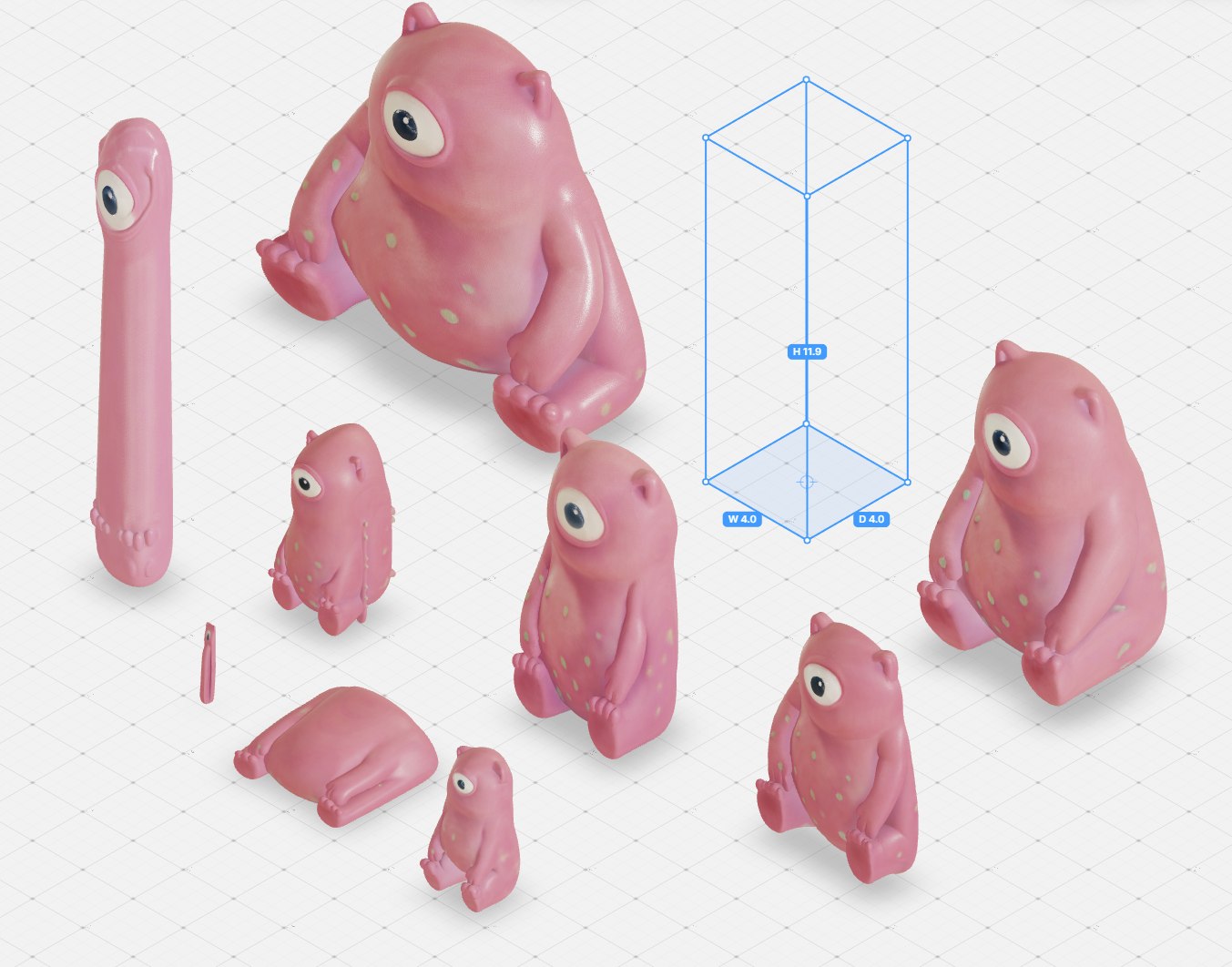
This week leans into the canvas and the browser. The headline is bounding-box 3D: draw a box and the model is generated to fill it, so the same image can produce objects with genuinely different proportions, then render several together in the path tracer. Two new in-browser tools run with no AI at all, grad.js for depth passes and a reaction-diffusion simulator, both straight on your GPU. On the model side Ray 3.2 is now built into video restyle, Uni 1.1 from Luma handles literal multi-image edits, Aleph 2 from Runway is in to experiment with, and inpaint picks up cleaner eraser and reference modes. Rounding it out: the first release of the prompt refiner that tunes a prompt to the exact model you're about to run, a consolidated export that bundles a whole board into one tidy zip, and smaller canvas wins like image stacks and smoother drag-and-drop.
What's inside:
Intro
0:00
what's new this week, in short
box-gen.js tool
1:42
a generated 3d model fills the box you draw, with unique proportions per object
video restyle (Ray 3.2)
4:19
ray 3.2 now built into video restyle, with a strength setting for how much style transfers
grad.js tool
5:03
depth-anything in the browser on your gpu, with gradient repeats and a wash effect; works on 2d too
react-diffuse.js tool
6:30
outline-aware reaction-diffusion simulation in the browser, many modes and speeds, no ai
Uni 1.1 by Luma
7:00
edit up to nine images together with literal, direction-following edits
inpaint: new modes
8:15
eraser (bria) and reference (flux kontext) modes for cleaner regenerated selections
close-ups + video-reframe
8:40
close-ups for fine detail, plus an improved video-reframe
consolidated export
9:17
bundle anything on the canvas into one zip: media named by model, notes as markdown
stacks + drag-and-drop
10:06
group images into a stack (cmd-g) and drag anything onto anything, smoother
prompt refiner
10:23
first release: refines your prompt for the exact model you're about to run (e.g. seedance 2)
Wacom zoom + wrap-up
11:23
q and e to zoom for pen users, then see you next week
all
weekly update
lessons
2Frames, quick actions, and one-shot batches
This week the canvas gets real structure: Frames group your work and run a whole batch in one go, Quick Actions let you evolve any image or model straight from the canvas, and Lock mode points a single tool at an entire frame. On the model side Luma's Ray 3.2 is in, powering a Video Reframe that retargets any clip to a new aspect ratio, and the prompt enhancer is no longer one-size-fits-all: it tunes itself to the exact model you're about to run. Smaller upgrades you'll feel the moment you start working too: a marquee select in Bodypaint, a movement slider on Krea 2, an SVG mode for the extruder, and level-of-detail speedups on heavy boards.
New models, sharper engines, fewer tabs
We've been shipping. This week's update runs through what's new on the canvas: fresh models brought in straight off release, older engines swapped out for sharper ones, and a round of upgrades to the plnty tools you already reach for every day. The number that matters to us isn't the length of the list, it's the lag between a model going public and you actually using it in your work. We want that gap close to zero.